

The following are the logical steps to think through and tasks followed to build this Ip Sweeper
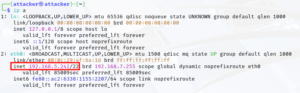
Identify your network sub-net
- ip a → this command will show the interfaces on your nic. From this information you should be able to identify what your sub-net and ip are.
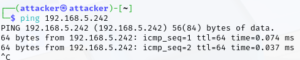
Test ping an ip in the sub-net
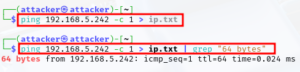
Set the ping count to 1 and send the output to text file. To grab the line pertaining the ip, we can pipe “|” grep the standard “64 bytes” message from the file to return the ping output to the terminal.
We only want to return the ip address so we can pipe that to the cut command and add a delimiter so only the ip is returned. The delimiter specified is a space and (-f 4) # of spaces to count before displaying output.

Then one last pipe to use the translate utility to remove the colon from the already delimited output.

Now this string of piped commands can be used to build our script!
Create .sh file – I use mouse-pad but use what you prefer.

A bash script always starts with → #!/bin/bash or “shbang” → The shbang declares what scripting shell is being used.
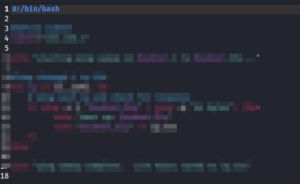
Now to determine the logic → using comments to define the flow statements. Comments are portions of the script that are non executable and are used to describe the different actions taken. A comment is created by first using the # sign. This tells program to ignore the line as part of the script.
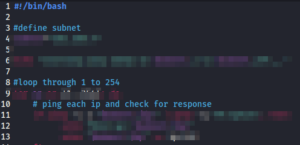
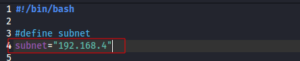
Now for the logic, first we set a variable to represent the subnet of our network
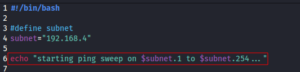
An echo statement is used to print every ip instance found when the script runs and pass arguments to the script. We must identify the range with in the variable to be searched. adding the $ in front of the variable to pass the argument.
Next we use the for statement to set the parameter for the action to be performed → search all ips in the subnet range defined by the ip variable.
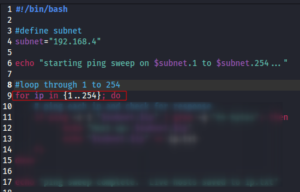
Next step is the if, then statement → we use the piped commands from before to build the if, then statement → Only changes: replaced 192.168.5 with two arguments → $subnet and $ip “$subnet.$ip”, 192.168.5 = $subnet and .x (last octet of ip) = $.ip → This paramenter was initially defined in the “starting ping sweep” echo statement above. The then statement that follows below, prints to terminal each host that is ping-able (up) and prints line output as input to ip.txt.
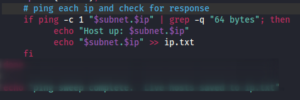
Next is the close the for, if, then loop with fi and done. I added an additional echo statement to indicate when the ip sweep is complete.
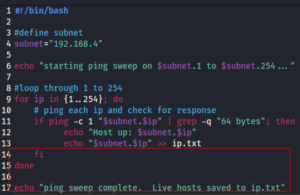
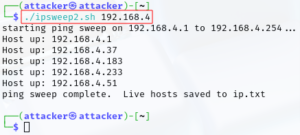
This completes the script. Below is example output of the script running successfully. For executing this script we can use the following arguments
./ , filename, and the first 3 octets of the ip range so:
./ipsweep2.sh 192.168.4
Below we see 5 ips were identified on the /24 sub-net.